Remote work in one workspace
Bring together RDP, SSH and Mac remote control through VNC. Manage profiles, sessions, remote tasks and file transfers in the context of each host.
RELAYNE · NATIVE WINDOWS WORKBENCH
From the first look at a host to documented repair evidence: Relayne brings remote sessions, diagnosis, reviewed tasks and your team’s knowledge into one workbench.
For IT administrators, managed service providers and support teams.
In development · Validate a pilot environment together
Remote access is the starting point. The value grows when diagnosis, changes and the next support ticket build on verifiable knowledge.
Bring together RDP, SSH and Mac remote control through VNC. Manage profiles, sessions, remote tasks and file transfers in the context of each host.
Rehearse Windows service repairs in a suitable clone first. Compare clone and production, check HTTP functionality and approve the specific production run separately.
Track review intervals and rehearsal expiry. Read-only comparisons can detect changes and invalidate previous evidence; automatic comparisons require consent for the current session.
Turn approved descriptions into reviewable HTTP criteria. Check status, text, login sequences and JSON rather than treating a running service alone as proof of recovery.
Compare cause hypotheses and keep contradictions and missing information visible. Runbooks, timelines and redacted result reports support clear handoffs.
Demonstrate procedures and prepare reviewable workflows. Share masked images and annotations; team input remains subject to roles and explicit approvals.
Verify signed packages through publisher keys, a trust store and revocation. An import remains a reviewable draft until a task is explicitly started.
RemoteApp, gateways and enterprise sign-in extend the workbench. Required Windows components, provider configuration and the target environment determine suitability.
Capture the case, target and observed failure. Collect diagnostic evidence and review proposed repairs.
Select a suitable clone, compare initial conditions and run explicit application tests.
Inspect the current production state. Explicitly approve the change for this plan and target.
Document the change and application outcome. Reuse the redacted report, runbook and reviewed knowledge in future cases.
An AI suggestion does not start a connection. A successful clone test does not replace production approval. Missing, stale or conflicting evidence remains visible and cannot establish a confirmed repair.
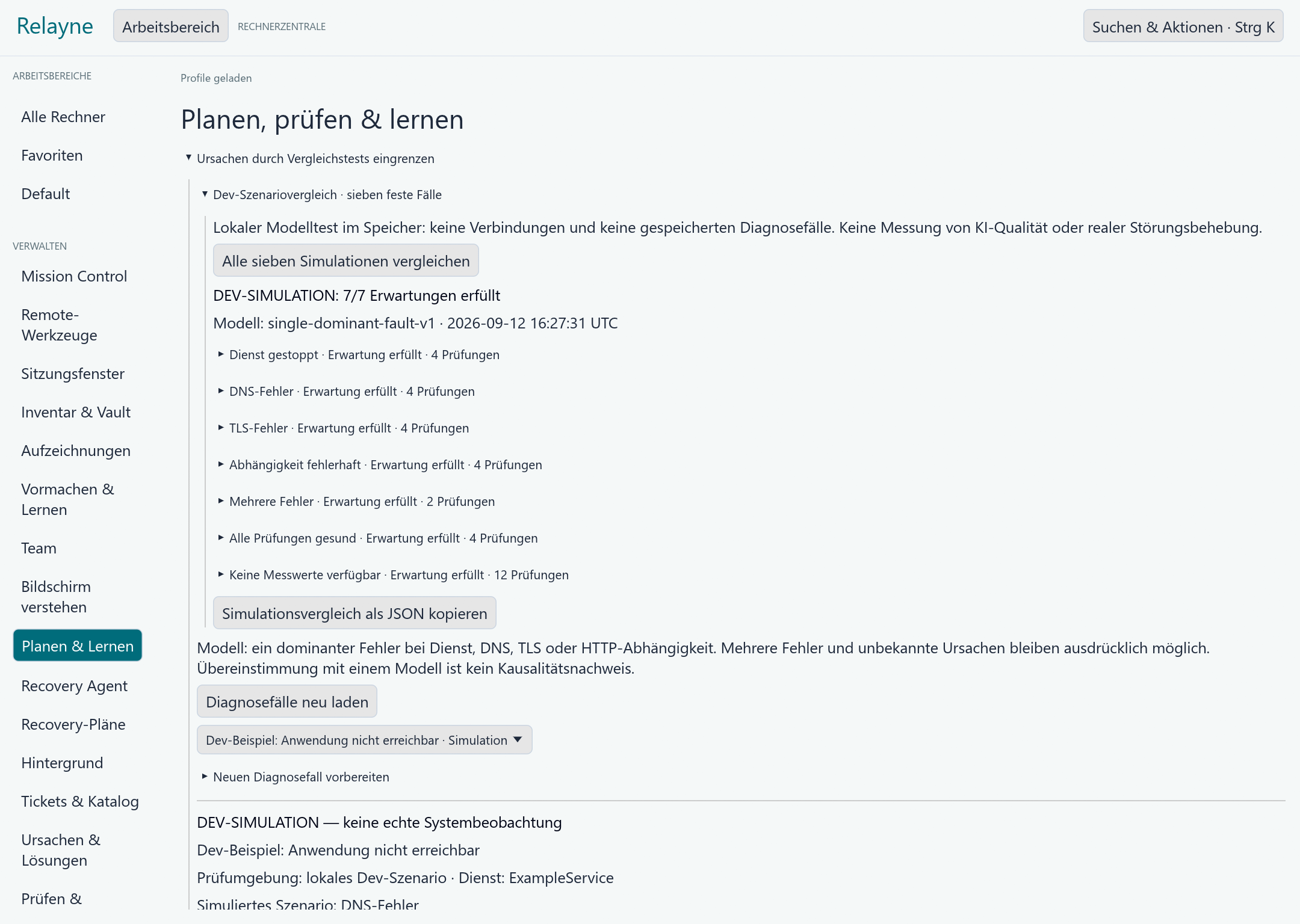
Select the local example, examine the simulated DNS checks and compare them with the stopped-service and TLS scenarios. Use the differences to discuss which evidence a real diagnosis would require. This example does not connect to or change a production system.
Security cases use a separate service with a web interface, persistent case queue and shared MCP case API, accessible from Relayne. Live sources and the A1 capability are disabled by default.
Relayne is in development. We discuss a suitable pilot scope and validate requirements and acceptance in your environment. The documented development distribution is unsigned.
The workbench runs natively on Windows. RDP, SSH, Mac VNC and additional integrations have individual requirements. Compatibility with your servers, gateways and identity providers needs explicit validation. Mac VNC is unencrypted and requires a trusted LAN or VPN.
The documented starting workflow combines a Windows service start with an explicitly defined HTTP functionality test. Clone rehearsals require suitable Hyper-V/WinRM infrastructure. Scope and recovery limits are agreed for the pilot case.
Local software tests and results in your target environment are different evidence. A confirmed repair requires matching case, plan and targets, plus actual change and application evidence. Infrastructure-dependent live acceptance remains necessary.
Describe the target system, symptom and intended application test. Name the support owner and approver.
Check the Windows workbench, access permissions and connections. Clone recovery requires suitable Hyper-V and WinRM infrastructure; Mac VNC requires a trusted LAN or VPN.
Agree the available development scope, test evidence and explicit production approval. Compatibility and live acceptance must be verified in your environment.
Bring a specific support or recovery case. Together we define requirements, pilot scope and measurable success criteria.
Discuss a pilot